


Antivirus - Cleaner + VPN
4.710.55K Reviews
App Specs
- Version
- 2.3.6
- Updated On
- License
- Free
- Downloads
- 10,000,000+
- Developer
- TarrySoft
- Categories
- Tools
- Platform
- Android
Screenshots
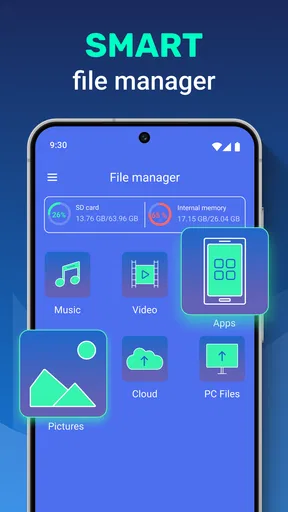
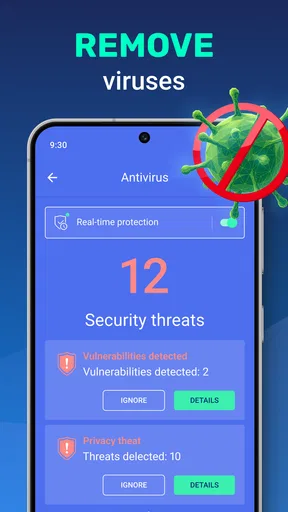
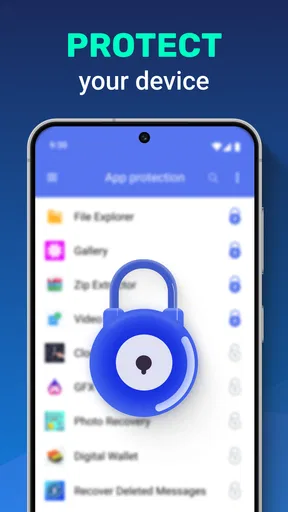
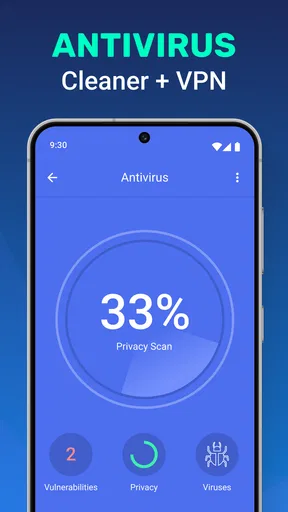
 Analysis by AppCompare
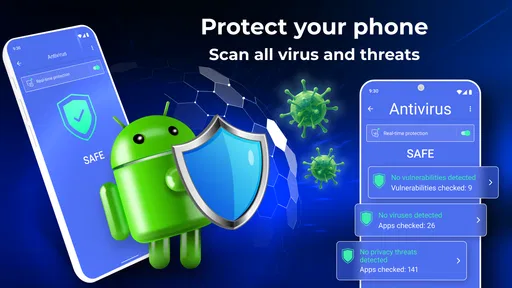
When I choose a phone security tool, I first ask whether I’ll actually use its different functions or end up with another app taking up space. Antivirus - Cleaner + VPN brings protection, cleanup and a VPN together, so it makes most sense for someone who wants those jobs gathered in one place rather than handled by several separate apps. I’d still judge each part on its own: an all-in-one label doesn’t automatically make every tool the best choice for every person.
Start with the decision that matters
Think about what is bothering you most. If you want a straightforward way to check for threats, clear unwanted files and reach a VPN from the same app, this layout may be convenient. If you only need one of those functions, a focused security app, a dedicated storage tool or a VPN you already trust may be a better fit. Choosing by your actual routine helps avoid paying for features you won’t use.
The app is a free Tools app from TarrySoft, with optional in-app purchases ranging from $0.99 to $99.99 per item. It is rated for Everyone, and Android users need version 6.0 or later. Its current version is 2.3.0. Those details make it easy to check basic compatibility and whether the free starting point suits you, but I’d look closely at any purchase prompt before committing to an upgrade.
How the combined approach helps
The practical advantage is having a single place to start when your phone feels cluttered or you want to review its security. Instead of switching between a cleaner, antivirus app and VPN, you can try the tools from one interface. That can be especially helpful for someone setting up a phone for a less technical relative: fewer separate apps can mean fewer dashboards to explain and keep track of.
There is a trade-off, though. A combined app asks you to trust one provider with several different roles. I would not assume that a cleanup scan, a malware scan and a VPN all solve the same privacy or performance problem. Use the cleaner for storage housekeeping, the antivirus for security checks, and the VPN when you specifically need a protected connection; keeping those purposes distinct makes the app more useful.
Everyday use without overdoing it
Picture a busy day when you have downloaded a few attachments, taken photos and noticed that your phone is running short on room. I’d open the cleaner to review what it identifies, then remove only items I’m comfortable losing. This cautious habit matters: don’t treat every suggested file as disposable, especially if you haven’t checked whether it contains something you want to keep.
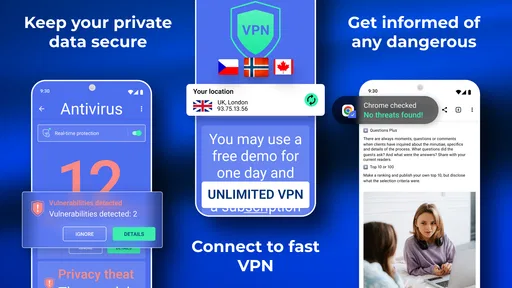
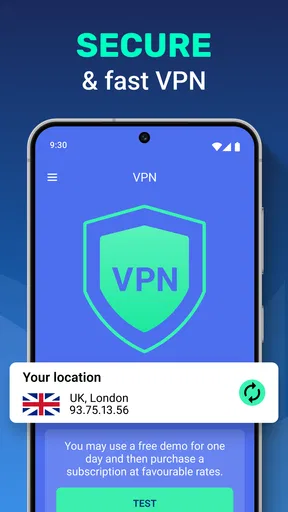
For a café visit, the VPN may be convenient when you want to add a layer of protection while browsing on public Wi-Fi. I would turn it on for the session where it is useful, then check that ordinary browsing still works as expected. A VPN is not a substitute for careful choices about websites, passwords or downloads, and I wouldn’t use the presence of a VPN button as a reason to ignore those basics.
Worth Reading Before You Choose

EA SPORTS FC Mobile 26 Is a Bigger Football Game, but It Takes Time

Flipboard Shows What News Apps Must Do Beyond the Feed

Switching to Android Auto Means Rethinking Your Driving Routine

Google Calendar Makes a Crowded Week Easier to Manage

Ludo King Makes the Most of the Minutes Between Plans

Baby Panda World Brings Quick Play to Modern Phones, but Its Game Library Feels Busy
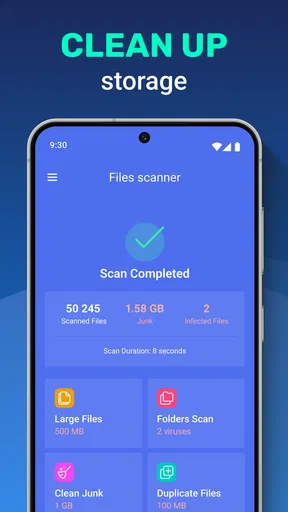
For routine maintenance, I’d avoid running a cleaner simply because a reminder or dashboard suggests it. First check whether storage is genuinely tight or whether a specific app is misbehaving. Removing cached data can sometimes mean an app has to load content again, so a cleanup may trade a little convenience for reclaimed space. A targeted cleanup is more sensible than repeatedly clearing everything.
Where it stands against focused alternatives
Compared with installing separate apps for security, storage and VPN access, this approach can reduce app switching and make the basic workflow easier to remember. That is its clearest advantage. A dedicated alternative may be preferable if you care deeply about one particular job and want to compare specialists on that job alone. I wouldn’t claim this bundle is automatically stronger than a standalone security product or a VPN service just because it combines their categories.
It also isn’t a replacement for built-in phone settings. If the issue is a nearly full photo library, reviewing large videos or moving files may be more effective than a general cleaner. If you want to manage folders manually, a dedicated file manager can offer a more direct workflow. And if your main concern is secure browsing, it is worth deciding what you need from a VPN rather than treating any bundled option as interchangeable with every other service.
The app has attracted a 4.7 average from around 295,000 ratings, and it has over 10 million installs. That level of adoption suggests many people find the combined format appealing, but popularity alone can’t tell you whether the VPN or cleaner suits your needs. I’d use the rating as context, then make the decision based on the tasks you actually expect to perform.
Getting Started with the App
Installing Antivirus - Cleaner + VPN was a breeze. I hopped onto the Play Store (or App Store if you're an iOS fan) and within minutes, it was ready to go. The interface is super user-friendly, which is perfect for folks who aren’t tech wizards. Right off the bat, you’re greeted with a clean dashboard that gives you a quick overview of your device’s status.
Features Galore
This app is like the Swiss Army knife of mobile protection. First up, the antivirus feature. It runs in the background, scanning for any nasty malware or viruses trying to sneak into your phone. It’s pretty hands-off, which I appreciate, because who wants to be constantly notified?
Then, there’s the cleaner aspect. You know how your phone sometimes feels like it’s moving through molasses? Yeah, this feature zaps all those unnecessary files and cache, giving your device a much-needed boost. I ran it, and honestly, my phone felt like it had just chugged a triple espresso.
And let’s not forget the VPN service. With just a tap, you can securely browse the web without worrying about prying eyes. This is a godsend when you’re sipping coffee at your local café and want to keep your data safe from potential snoopers.
User Experience
As I mentioned earlier, the app’s design is top-notch. Everything is laid out in a way that makes sense. You’ve got big, bold buttons for each feature, and navigating through the settings is a piece of cake. Even if you’re not the most tech-savvy person around, you’ll have no trouble finding your way around.
One thing I noticed is how smooth everything runs. No lag, no crashes—just seamless performance. That’s a huge plus in my book because, let’s be real, there’s nothing more frustrating than an app that keeps glitching out.
Reliability and Performance
I put the app through its paces over a couple of weeks, and it consistently performed well. The antivirus scans didn’t slow down my phone at all, which is often a concern with these types of apps. It’s like having a vigilant security guard who doesn’t get in your way.
The cleaner function really does help in speeding up the phone. After a few days of not cleaning, I noticed my phone getting sluggish, but a quick cleanup session worked wonders. The VPN service also maintained good speeds, which is crucial if you’re streaming or downloading content.
One small habit that makes a difference
When trying any security or cleanup tool, I recommend checking what it proposes before tapping through a sequence of actions. That gives you a chance to spot files you meant to keep and to understand which part of the app is asking for attention. It also makes it easier to tell whether the antivirus, cleaner or VPN is addressing the problem you noticed, rather than running everything out of habit.
If the phone still feels slow after a cleanup, I wouldn’t keep repeating the scan and expect a lasting fix. Check which apps are using space, close or uninstall ones you no longer need, and restart the phone if appropriate. A cleaner can help with clutter, but it cannot make every device issue disappear. That distinction is useful when deciding whether to keep using an all-in-one tool or troubleshoot the underlying cause.
Who should consider it, and who should pass
I’d consider it if you want several basic phone-maintenance tools together and value a simple starting point more than fine-grained control. It may also suit someone who is helping a family member keep everyday security and cleanup tasks in one place. The Everyone content rating is broad, but that doesn’t remove the need to supervise purchases or explain what a VPN and file cleanup actually do to a less experienced user.
I’d skip it if your phone already has tools that meet your needs, if you only want a specialist VPN, or if you prefer to manage files and security through separate products. People who are highly particular about privacy should evaluate the VPN on its own terms and read the app’s current purchase and privacy screens before relying on it. Bundling is convenient, not a reason to stop comparing.
Before making it part of your routine
Because the app is free to start but includes optional purchases, I’d check the terms shown in the app before selecting any paid option. Don’t assume every feature or level of access is included just because the download costs nothing. The listed purchase range runs from $0.99 to $99.99 per item, so it is worth pausing at checkout and confirming the exact amount and what it covers.
For Android, the minimum requirement is version 6.0, which is a useful first compatibility check. The app was released on Nov 19, 2020, and its current version is 2.3.0. If you’re deciding whether to install it on an older phone, check that the operating system meets the requirement and consider how much storage you want to devote to another utility.
One question people often have is whether an antivirus tool means they can stop being cautious online. I wouldn’t take that view. Treat scans as one layer, keep your operating system and apps up to date, and avoid opening suspicious attachments or sharing sensitive information with untrusted sites. Likewise, a VPN can protect a connection in some situations, but it doesn’t make every online activity private or safe by itself.
Final Thoughts
In a nutshell, Antivirus - Cleaner + VPN is a solid choice if you’re looking for an all-in-one solution to keep your phone secure and running smoothly. It’s like having a personal tech assistant in your pocket, and who wouldn’t want that?
So, if you’re ready to give your smartphone a little TLC and keep those digital threats at bay, I’d say go ahead and check it out. You might just find that it’s exactly what you’ve been searching for.
My recommendation is to try it when the convenience of bringing these tools together solves a real problem for you, then keep only the functions you find useful. If you want a dedicated product for one specific task, compare focused alternatives instead. That’s the fairest way to judge this app: as a practical bundle for everyday users, not a universal replacement for every security, storage or privacy tool.
Pros
- Comprehensive security features.
- User-friendly interface.
- Includes VPN for online privacy.
- Minimal impact on device performance.
- Regular updates for new threats.
Cons
- VPN may slow down internet speed.
- Free version has limited features.
- Advertisements in free version.
- Requires constant internet for updates.
- Battery usage can be high.
FAQs for Antivirus - Cleaner + VPN
What features does Antivirus - Cleaner + VPN offer?
Antivirus - Cleaner + VPN provides a comprehensive suite of features, including real-time malware protection, junk file cleaning, and a secure VPN for private browsing. The app is designed to enhance device security and performance by detecting threats, optimizing speed, and ensuring anonymous internet usage.
Is the VPN service truly secure and private?
Yes, the VPN service in Antivirus - Cleaner + VPN is designed to offer secure and private browsing. It encrypts your internet connection, hiding your IP address and protecting your data from hackers and trackers, ensuring your online activities remain confidential.
How does the app impact device performance?
Antivirus - Cleaner + VPN is optimized to enhance device performance rather than hinder it. By cleaning junk files and running efficient malware scans, it helps free up storage and speed up your device, all while running quietly in the background without consuming excessive resources.
Are there any subscription costs or in-app purchases?
While Antivirus - Cleaner + VPN offers a free version with basic features, advanced functionalities such as premium VPN servers and enhanced malware protection may require a subscription. The app provides various pricing plans to suit different needs, often including a free trial period.
How user-friendly is the app for beginners?
The app is designed with a user-friendly interface, making it accessible even for beginners. It provides easy-to-navigate menus and clear instructions, ensuring users can quickly understand and utilize its features without any prior technical knowledge. The app also offers customer support for additional guidance.


